“Run this on my NAS.”
Choose a machine, enter your command, and set a schedule. The agent executes it locally and brings back the output.
/opt/scripts/backup-immich.shYou don’t have to piece the night together.
EXAMPLE ACTIVITY
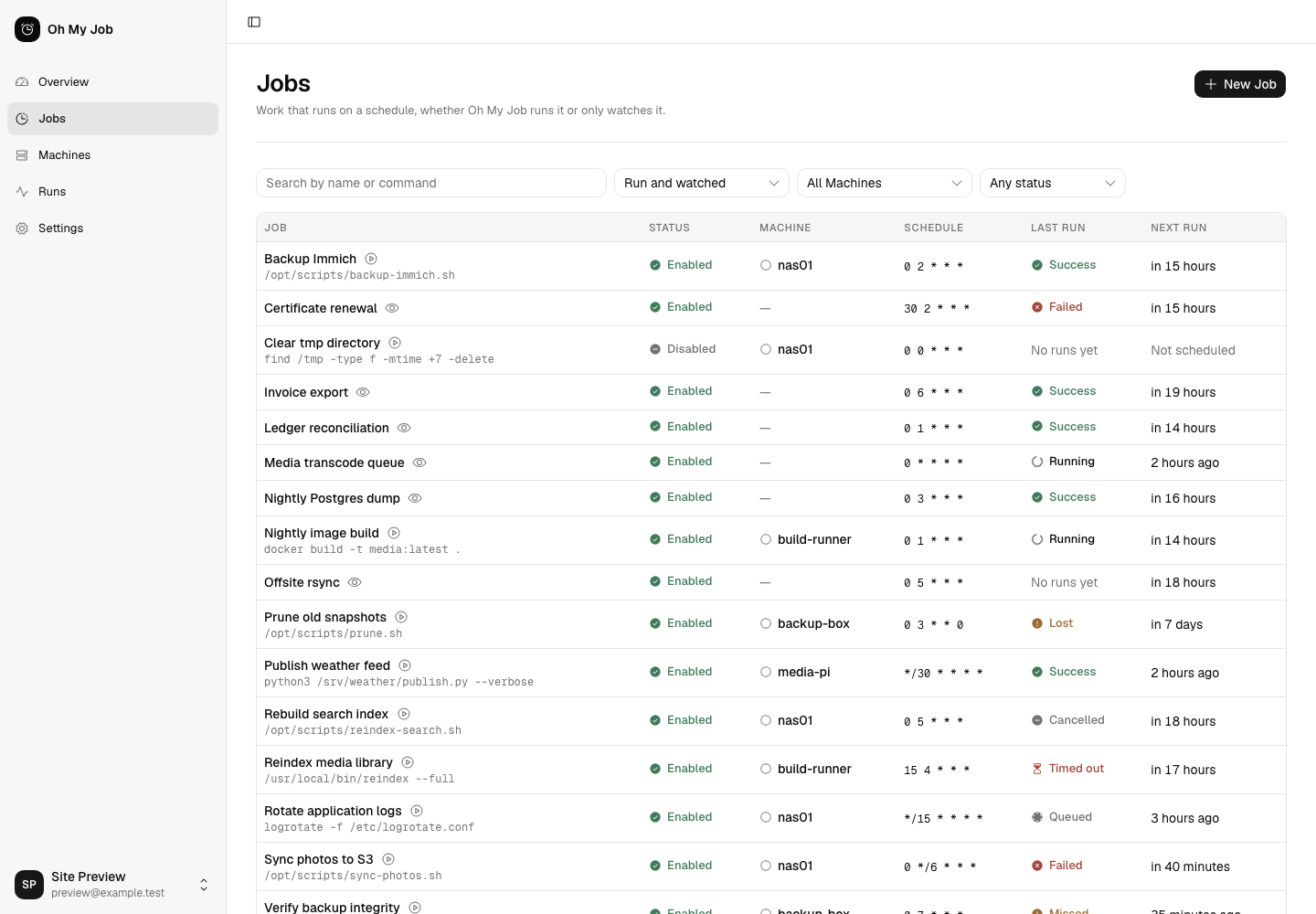
Commands you run. Work you watch. The same Jobs list, with the last result and what’s due next.
Actual app · Demo dataMove a command into Oh My Job, or leave it where it is and have it report back. Both give you a schedule to expect and a history to inspect.
Choose a machine, enter your command, and set a schedule. The agent executes it locally and brings back the output.
/opt/scripts/backup-immich.shKeep your cron job, systemd timer, or CI schedule. Add a ping URL so Oh My Job knows whether it finished.
./backup.sh curl -fsS -m 10 --retry 5 -o /dev/null "https://jobs.example/ping/TOKEN/$?"Report the command’s exit code, success or failure.
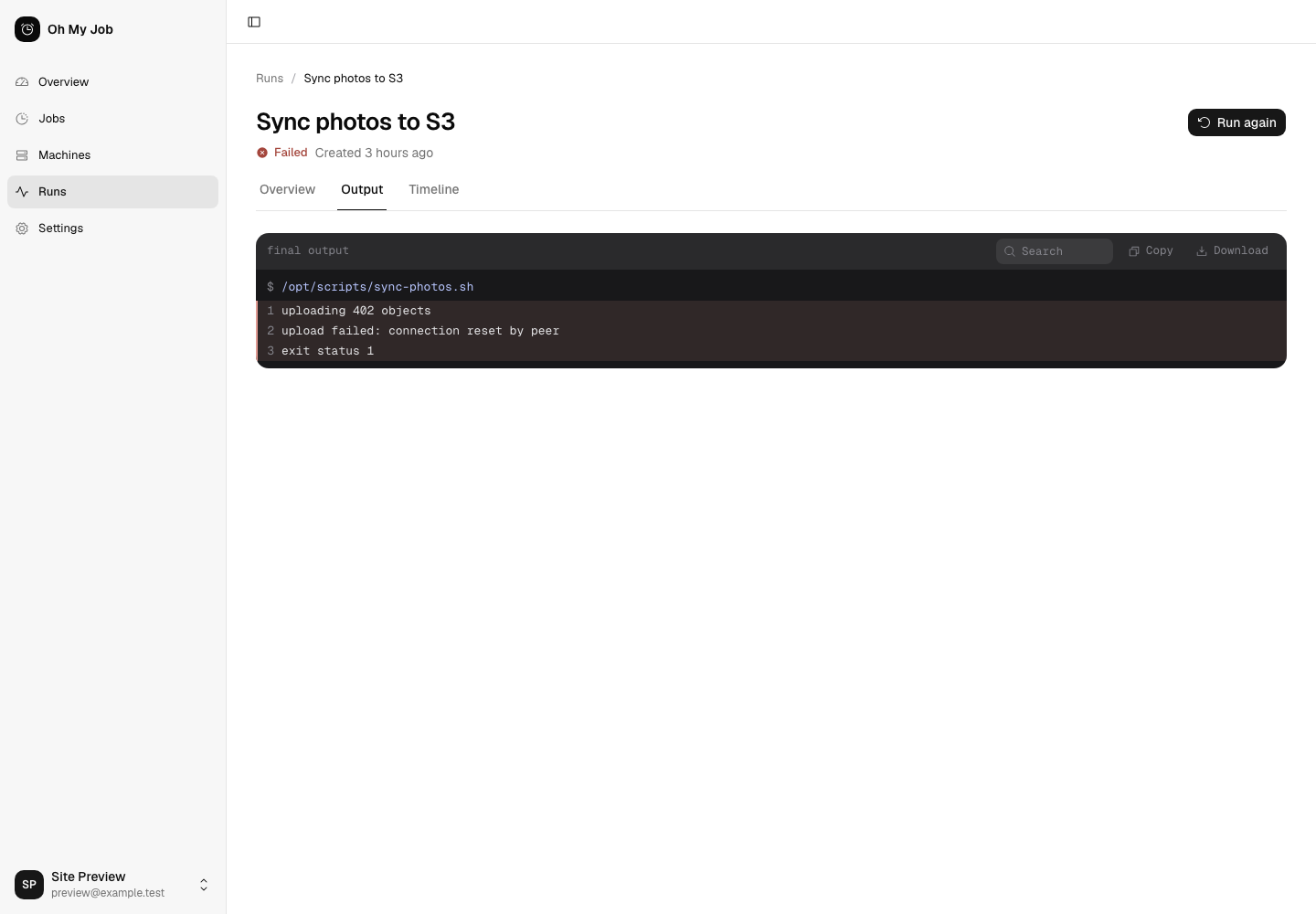
Go from a result to the evidence. Every run keeps its own command, timing, exit status, and output—even after you change the job.
The overview surfaces failed runs and machines that need attention.
Search, copy, or download the run’s output. Inspect its event timeline.
Fix the cause, then use Run again. The previous attempt stays in the history.

Choose a schedule and timezone. Preview the next occurrences before saving. Use the form or a five-field cron expression.
SchedulesChoose whether to skip missed work or run it late within a grace period. A machine going quiet leaves a visible result.
Missed and lost runsAgents connect outbound and execute as their local service user. Your server, your commands, your operating-system permissions.
The security modelA Laravel server. A Go agent. SQLite for the data. Start with a single container and the machines you already own.
Open the installation guideNo separate database server or message broker.
services:
ohmyjob:
image: ghcr.io/ohmyjob/server:latest
restart: unless-stopped
ports:
- '8080:8080'
volumes:
- ./data:/data
environment:
APP_URL: https://jobs.home.exampleUse your reachable server URL. HTTPS requires a reverse proxy.
Yes. Create a monitored job and add its ping URL to your script. Your existing scheduler keeps running the work. Oh My Job records reports and notices when a scheduled report is missing. Read the monitoring guide.
Only machines where Oh My Job executes commands need an agent. Monitored jobs report over HTTP and don't require an enrolled machine.
Oh My Job is focused on scheduled commands and their outcomes. It doesn't model multi-step pipelines, job dependencies, or DAGs. It fits personal servers and small fleets where knowing what ran matters.
The complete self-hosted product is MIT licensed. There are no software licensing caps on machines, jobs, or history. Available capacity depends on your server resources and configuration. Read about sizing.
The current implementation shows failures and missed work in the interface. Email and webhook notifications are planned; they aren't part of the version demonstrated here.